File Restore Job
The file restore job is used to restore the files from the selected backup job.

If there are no backup jobs available to restore then the 'Backup Job' is disabled.
Choose Backup Job
Choose the backup job to restore in the dropdown.
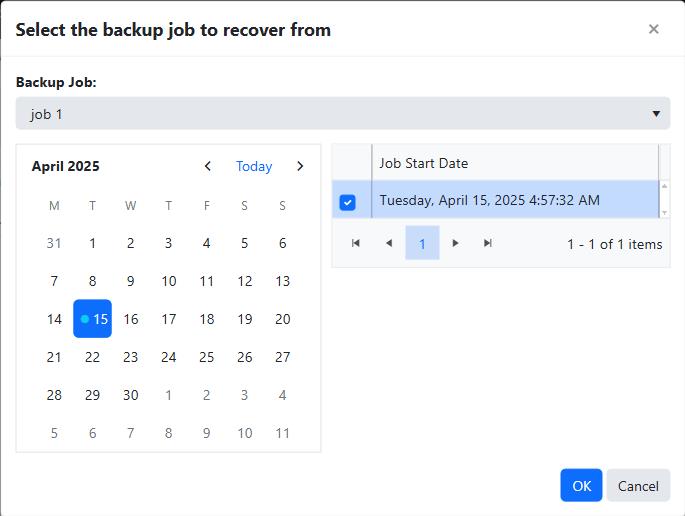
Calendar
The days the selected backup job ran are marked on the calendar, indicated with a small blue circle.
The most recent day the backup job ran is selected by default.
Select the day or range of days when the backup job was run to list the available backup sets to restore.
Backup Sets
This is the list of backup sets filtered from the days selected in the calendar.
Select the specific backup set to view the data that was backed up.
Settings
Click the Settings button to configure and display the settings for the restore job.
Selections
See Selections for how to choose what is restored.
Restore
Click the Restore button to restore the selected files.
If the job is started successfully, a confirmation message box is displayed with the message "The file level restore job was started successfully."
Clicking on the OK button will dismiss the dialog and automatically navigate to the agent's job history page.
Any validation errors are displayed in tooltips.